What this solves
A good base makes repeated map routes easier. A pretty spot is not worth much if every Silver or cave run starts with confusion.
Quick route
- Pick an early base by repeatable resource loops, not screenshots.
- Check Silver, Quartz, Copper and Titanium access before placing storage.
- Use depth bands before choosing a deeper staging base.
- Treat abandoned base markers as landmarks, not automatic recommendations.
Before you go
- Have the Habitat Builder or base plan started.
- Know at least one safe return route.
- Separate starter base needs from late staging needs.
Prerequisites
- Habitat Builder or base planning started
- Starter resource loop stable
- At least one reliable return route
Field Notes
Step-by-step Walkthrough
Each step keeps exact coordinates conservative. Use the linked map filters for route planning and trust reviewed marker labels when you need precision.

The best starter base is near the loops you repeat most, especially early electronics and glass routes. Step 1Biome-onlyCommunity noteChoose a base for loops, not screenshots
Make the base reduce repeated travel.
A strong early base sits near Titanium, Copper, Quartz and Silver loops while leaving a simple return line to the lifepod or known landmarks.
A pretty base that sits far from your current material loop is a tax. Early bases should shorten Titanium, Copper, Quartz and Silver trips. If a location makes those runs clearer, it is probably better than a more dramatic spot that adds travel every time you craft.
Before building, swim the loop once without placing anything. If the route is still confusing, the base will not fix it.
Map hint
Compare base-location markers with Silver and Quartz focused maps before committing.
Do this
- Nearby starter resources checked
- Return route repeated once
- Storage need confirmed
Watch for
- Choosing a scenic spot that makes every craft slower
Next: Check depth bands before building deeper or farther out.

Deep staging bases are useful only after depth, oxygen and cave exits are already under control. Step 2Route noteCommunity noteUse depth bands before building deep
Avoid staging deeper than your oxygen or vehicle comfort supports.
Deep and abyss-adjacent bases can look efficient, but they punish weak oxygen, weak vehicle prep and incomplete cave knowledge.
A deeper base can be efficient later, but it punishes early saves. If reaching the build site already uses most of your oxygen or vehicle comfort, the base is too early. Depth bands give you a quick reality check before you invest materials.
Use deep bases as staging points after the route is familiar, not as an attempt to make an unfamiliar route safe.
Map hint
Turn on Depth Bands and Caves before considering deep staging locations.
Do this
- Depth band checked
- Vehicle or oxygen comfort confirmed
- Cave exits understood
Watch for
- Building deep because it looks close to late objectives
Next: Decide whether you need a starter base or a late staging base.
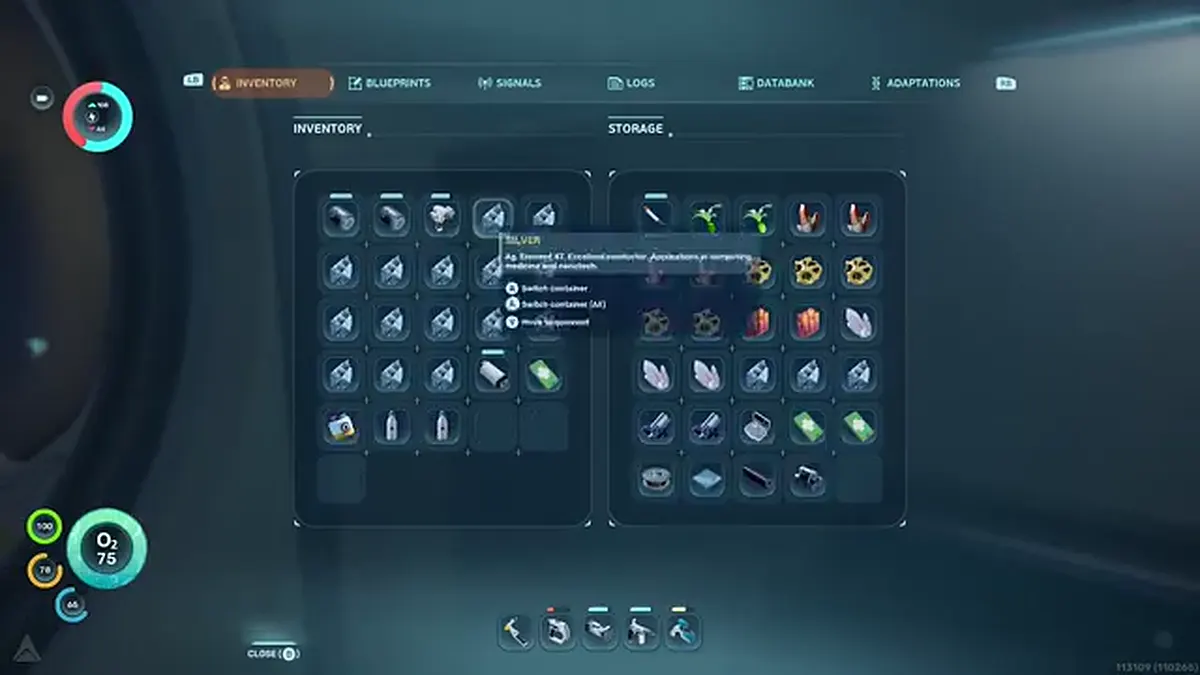
Starter bases support crafting rhythm; late staging bases support specific route pushes. Step 3Biome-onlyGuide noteSeparate starter base and late staging base
Avoid asking one base to solve every route.
Starter bases should support tools and oxygen. Late staging bases should support Power Plant, Observatory and ruin material routes.
The first base should make tools, oxygen and starter materials easier. A late staging base should support Power Plant, Observatory, hot caves or ruin material routes. Those are different jobs, and one location rarely does both well.
Keep the starter base simple. Add the late staging base only when you can name the route it supports.
Map hint
Use resource filters for starter bases and story/depth filters for late staging bases.
Do this
- Starter job defined
- Late staging job defined separately
- Materials not split too early
Watch for
- Moving the whole base every time a new signal appears
Next: Use late route guides before choosing a staging base near story areas.

Base markers are useful landmarks, but nearby resources and exits decide whether they work for you. Step 4ApproximateGuide noteTreat abandoned base markers as landmarks
Use existing base-style markers for orientation, not blind copying.
Existing base-location markers are useful landmarks, not automatic recommendations. Check nearby resources and exits before copying a location.
A base-location marker can tell you where players or guide notes pay attention. It does not automatically mean the location is right for your save. Check the resources, depth, cave exits and return route around it before copying the spot.
If the marker is approximate or pending review, treat it as an area to inspect. Build only after the route proves itself in your current save.
Map hint
Open base-location markers, then overlay the resource or route filter that matters to your current stage.
Do this
- Marker used as landmark
- Nearby resources checked
- Current-save route tested
Watch for
- Copying a marker without checking the surrounding loop
Next: Return to First Hours for starter planning or Power Plant and Observatory for late staging.